Unlock Your PC with Ease: A Review of the USB Fingerprint Reader for Windows 10/11
Our Product Insight
In today’s fast-paced digital world, security and convenience are paramount. The USB Fingerprint Reader for Windows 10/11 offers a seamless way to log into your computer without the hassle of remembering passwords. This nifty device utilizes biometric technology to ensure that only you can access your files and applications, making it a great addition to your tech arsenal. With its one-click lock screen feature and auto driver setup, this fingerprint reader is designed to enhance your user experience while keeping your data secure.Key Features
Let’s dive into some of the standout features that make this fingerprint reader a compelling choice:- Windows Hello Compatibility: The fingerprint reader is fully compatible with Windows Hello, allowing for a smooth integration into your existing Windows 10 or 11 setup. This means you can say goodbye to traditional passwords and hello to a more secure login method.
- One-Click Lock Screen: With just a single click, you can lock your screen, ensuring that your computer is secure when you step away. This feature is especially useful in shared environments or public spaces.
- Auto Driver Setup: You won’t have to worry about complicated installations. The fingerprint reader features auto driver setup, making it easy to get started right out of the box. Simply plug it in, and you’re ready to go!
- 5ft Cable: The device comes with a generous 5ft cable, providing flexibility in placement. Whether you’re using a desktop or laptop, you can position it comfortably without feeling restricted.
- Password-Free Login: Forgetting passwords can be a hassle, but with this fingerprint reader, you can enjoy a password-free login experience. This not only saves time but also enhances your overall productivity.
While these features are impressive, it’s essential to consider both the advantages and potential limitations of the product.
Pros:
- Enhanced Security: Biometric authentication is generally more secure than traditional passwords, making it harder for unauthorized users to access your device.
- User-Friendly: The one-click functionality and auto driver setup make it accessible for users of all tech levels.
- Convenience: No more typing in passwords or worrying about forgetting them. Just a quick scan of your fingerprint, and you’re in!
Potential Considerations:
- Compatibility: While it works seamlessly with Windows 10 and 11, users on older operating systems may not benefit from its features.
- Fingerprint Recognition: Some users may experience occasional issues with recognition, especially if their fingers are wet or dirty. It’s always a good idea to keep your fingers clean for optimal performance.
Who It's For
This USB Fingerprint Reader is ideal for a wide range of users: - Professionals: If you’re working in an office or from home and need to secure sensitive information, this device provides an extra layer of protection. - Students: With the increasing amount of online coursework and personal data stored on devices, students can benefit from quick and secure access to their laptops. - Tech Enthusiasts: If you love gadgets and are always on the lookout for the latest tech innovations, this fingerprint reader is a fun and practical addition to your setup.In conclusion, the USB Fingerprint Reader for Windows 10/11 is a practical solution for anyone looking to enhance their computer security while enjoying the convenience of biometric authentication. With its user-friendly design and essential features, it’s a great tool for both personal and professional use. Whether you’re tired of remembering passwords or simply want to add an extra layer of security, this fingerprint reader could be just what you need. So, why not check current price and see if it fits into your tech collection?
If you're looking to enhance your PC's security and ease of access, the meiyan Mini USB Fingerprint Reader Module is an excellent choice for seamless biometric authentication. For businesses needing a reliable way to track employee hours, the OFFSCH Time Recorder Accessory Digital Time Clock Printer Ribbon Replacement is a must-have for ensuring your time clocks function flawlessly. The LeGDOr Time Clock Time Card Machine offers a state-of-the-art biometric fingerprint recognition system that simplifies attendance tracking for employees. If you're interested in analyzing data effectively, consider picking up "SQL for Data Analysis: The Modern Guide to Transforming Raw Data into Insights" to boost your analytics skills. Lastly, the melairo Time Attendance Machine combines fingerprint scanning, RFID, and PIN punching to provide a comprehensive solution for managing employee attendance effortlessly. Check out the OFFSCH Time Recorder Accessory Digital Time Clock Printer Ribbon Replacement Universal Kit for Time Clocks for great value. Check out the LeGDOr Time Clock Time Card Machine Biometric Fingerprint Time Attendance Clock Employee Digital Electronic Voice Reader Machine for great value. Check out the SQL for Data Analysis : The Modern Guide to Transforming Raw Data into Insights (Data Analytics Toolkit) for great value. Check out the melairo Time Attendance Machine Fingerprint Password Time Clock for Employee with Finger Scan, RFID and PIN Punching in One for great value.
More Products You Might Like
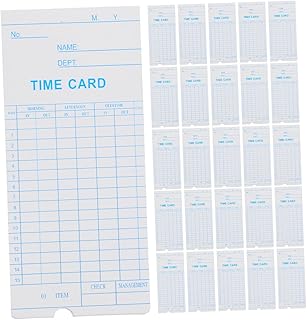
Veemoon 100pcs Management Cards for Employee Attendance Reco

Recognition of Human Iris Patterns: A Biometric Technology

Mastering Software Solutions: A Practical Guide to Boosting

The 2023 Report on Cloud-Based Software Solutions and Softwa

TOYANDONA 24 Slots Attendance Recorder Punch Time Rack Plast
Disclaimer: This article has been generated through our AI content insight system and is intended for general informational purposes only. Please carry out your own research and review product details directly before making any purchase decisions.